 Native Sheets
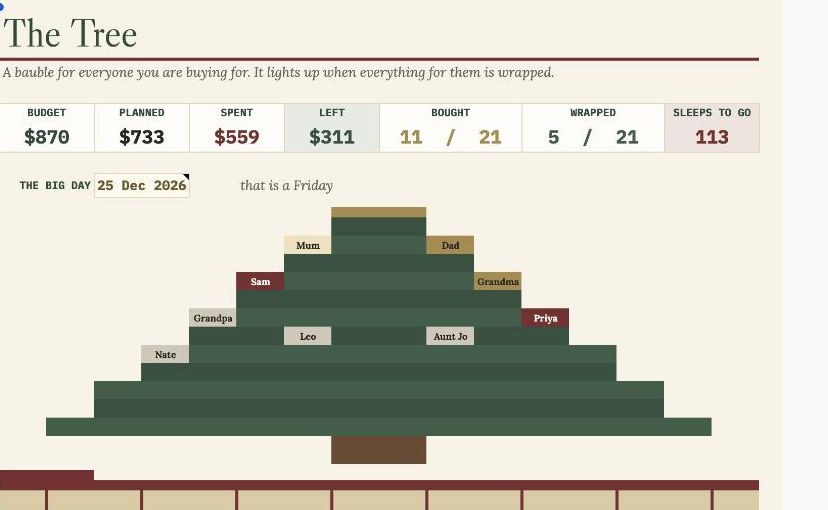
 Every gift, every person, every dollar — and a tree that lights up as you go
Coming soon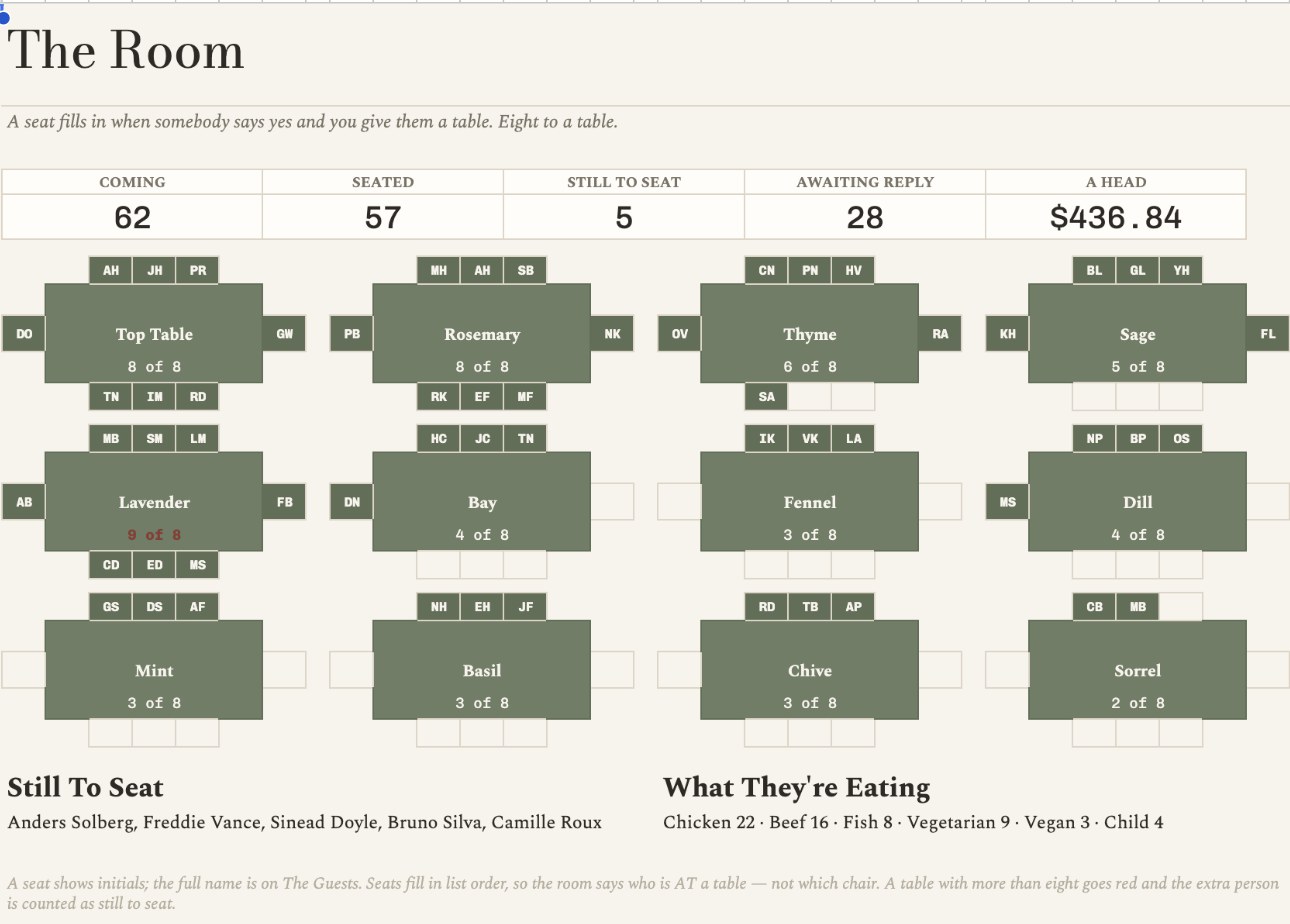
The Room — twelve tables seen from above, each seat filling with a guest's initials as the replies come in
What it does
A wedding planner where the seating chart and the budget are the same document. Type a guest once. The moment they say yes and you give them a table, a seat fills in on the room and the cost of feeding them lands on the budget. No second spreadsheet, no counting heads twice.
Twelve tables of eight, drawn from above, each seat filling with a guest's initials as their reply comes in. Above it: who is coming, who is seated, who still has no chair, who has not replied, and what the whole thing costs a head. Rename a table on Set Up and the room renames itself.
A HEAD is everything divided by everyone. ONE MORE GUEST is only the lines that scale — the plate, the drink, the favour. They are different numbers, and the second is the one that answers "can we invite the Hendersons?" before you say yes.
Put nine people at a table of eight and the count goes red and reads 9 of 8, and the ninth person is listed as still to seat. Nobody is quietly dropped, which is the failure mode of every seating chart made of text boxes.
Every due date on the countdown is worked back from the one date on Set Up — forty tasks from booking the venue to handing the rings to the best man, each marked Done, Due soon, Overdue or Upcoming against today.
What's inside
Why this one
Built natively in Google Sheets: six buyer-facing tabs plus a hidden Engine. 2118 checks against an independent Python recomputation, 0 failures. Every one of the 96 seats in the room, all 104 guest rows with their seat indexes, all twelve table counts including the deliberately over-capacity table, the whole budget with both subtotals and all five totals, and every worked-back due date on the countdown are re-derived from the sample data and compared cell by cell. The verifier was itself proven by injecting thirteen faults into a passing read-back; all thirteen were caught. Run the verifier with the date the SHEET thinks it is, not the date your machine thinks it is. TODAY() resolves in the Sheetli account's own timezone, which can sit a day behind UTC, and every status on The Countdown moves with it. The DAYS TO GO tile is the check: 2027-06-19 minus that number is the sheet's today. Not covered by the verifier: the prose on Start Here. It checks the tab exists and is not empty, but not its wording, so a change there is caught by eye or not at all.
Native Sheets Every gift, every person, every dollar — and a tree that lights up as you go
Coming soon Native Sheets
  Native Sheets